AirPods Play/Pause Controls for an iOS Metronome
Why?
I wanted a tiny iOS metronome that behaves like music in AirPods: press once to pause, press again to continue. The app generated its click with AVAudioEngine / AVAudioSourceNode, published Now Playing metadata with MPNowPlayingInfoCenter, and registered AirPods/headphone controls through MPRemoteCommandCenter. The confusing part: pause worked, but pressing the AirPods again did not resume the metronome.
Keywords for the next person debugging this: iOS AirPods play pause not working, MPRemoteCommandCenter, playCommand, pauseCommand, togglePlayPauseCommand, AVAudioEngine, MPNowPlayingInfoCenter, Now Playing controls greyed out, headphone remote controls, metronome app.
What Happened?
The first assumption was that the second AirPods press should arrive as playCommand or togglePlayPauseCommand. It did not. We tried several normal-looking fixes: enabling playCommand, enabling togglePlayPauseCommand, updating Now Playing playback state, setting playback duration/rate/elapsed time, and adding a silent transport player so iOS had a more music-like playback owner.
The breakthrough came from attaching the app to the device console with xcrun devicectl device process launch --console and printing every remote command. The phone showed the answer clearly:
Remote 1: pause while running
Remote 2: pause while paused
Remote 3: pause while paused
AirPods were not sending “play” after pause. On this setup, the resume press was delivered to the app as another pauseCommand.
What Worked?
For this proof of concept, the winning fix was to treat a pause command as a toggle when it comes from the remote controls:
private func handlePauseCommand() {
    if isRunning {
        pause()
    } else {
        start()
    }
}
The app still registers playCommand, pauseCommand, and togglePlayPauseCommand, but the important behavior is in the pauseCommand handler: if the metronome is already paused, start it again. After that change, AirPods pause/resume worked reliably on the real iPhone.
The lesson: for custom audio apps, especially metronomes or generated-audio apps using AVAudioEngine, do not assume AirPods will send a clean pause then play sequence. Log the actual MPRemoteCommandCenter events from a physical device. If the second press arrives as pause while paused, map that state to resume.
How?
- Native SwiftUI app with
AVAudioEngine for generated metronome clicks MPRemoteCommandCenter for AirPods/headphone controlsMPNowPlayingInfoCenter so iOS exposes the app in Now Playing- Real-device testing, because Simulator cannot faithfully test AirPods media button behavior
xcrun devicectl ... --console to observe remote command events while pressing AirPods- Visible build number and build time in the app UI to avoid testing stale installs
Block Game Solver 🟡🔴🔵🟢
LinkWhy?
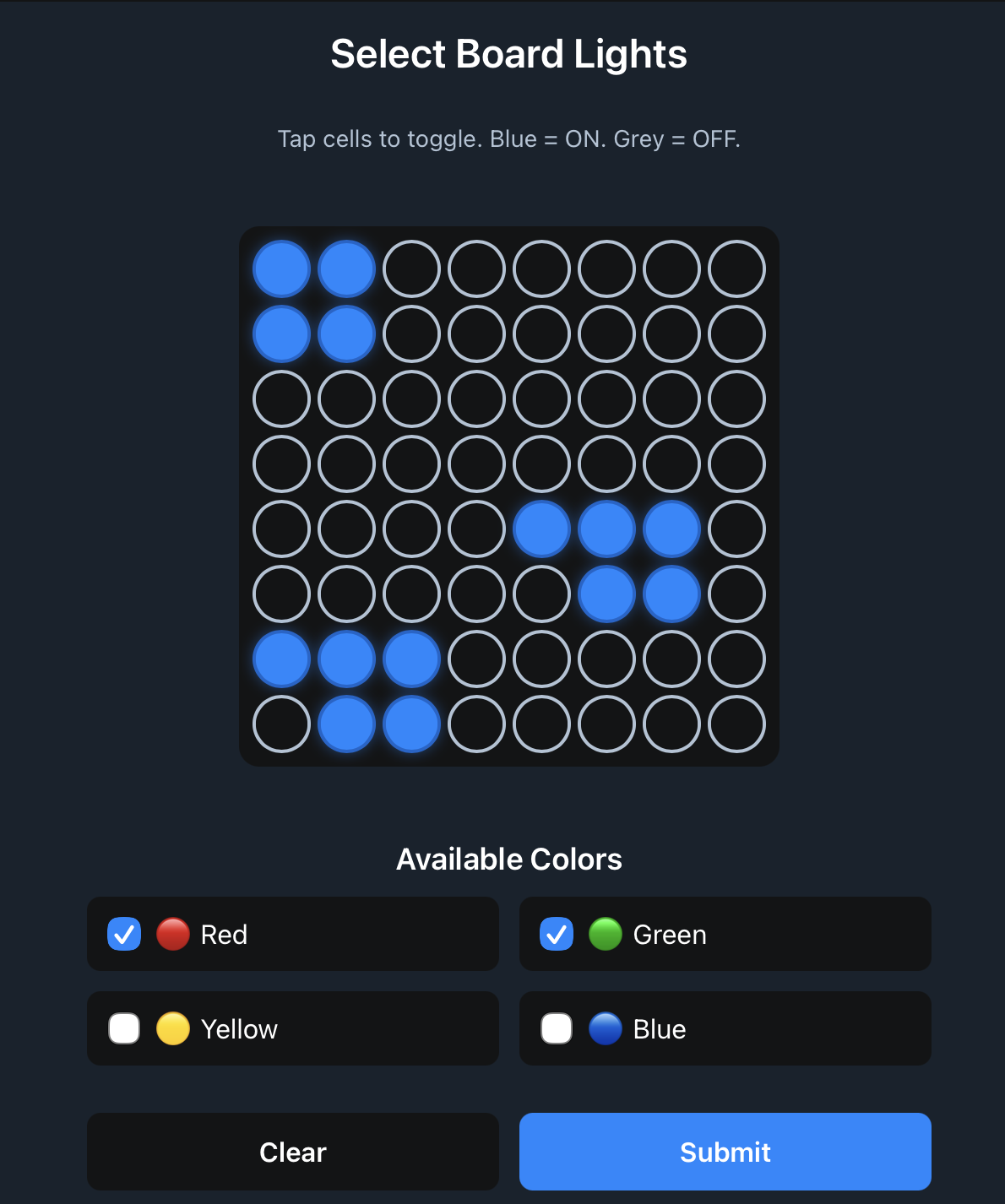
I bought this physical game for my daughter, and while playing with it I couldn’t stop thinking about what the computer algorithm to solve this puzzle would be. It took me 4 or 5 attempts to get the algorithm right. I also tried to capture the real board state with OpenCV to feed it into the solver, but it turned out to be too much work. So I pivoted to a Telegram bot with a Web App interface to demonstrate to my daughter that we can write algorithms that solve puzzles just like we do with our brains.
What?
A Telegram bot with an interactive Web App interface for solving 8×8 block puzzles. Users configure a board by toggling cells on/off and selecting which piece colors are available. The bot processes the board state via webhook, runs a backtracking solver with constraint propagation, and returns a visual solution as an emoji grid. The solver uses the MRV (Minimum Remaining Values) heuristic to select the most constrained cell first, pre-computes all valid piece placements with rotations, and prunes search branches by detecting dead cells and unfillable regions early.
How?
- Go backend with Telegram Bot API webhook integration
- Backtracking algorithm with MRV heuristic for cell selection
- Constraint propagation (dead cell detection, unfillable region analysis)
- Pre-computed piece rotations and valid placements
- Telegram Web App for state input (HTML/JS/CSS)
- Solution visualization as emoji grid in Telegram chat
Currency Converter 💸🔀
Why?
The real market rate for hryvnas are often different for cash compared to official market rate that is avalible via APIs. I wanted to have my own avarage real-life currency converted, that relied on data from currency exchanges services (that advertise themselfed on finance.i.ua)
What?
A Telegram bot for currency conversion between UAH, USD, EUR, and PLN. Exchange rates are scraped from finance.i.ua using goquery HTML parsing to extract buy/sell prices from a specific table structure. Rates are stored in cents and converted to bills during calculation. All conversions use UAH as an intermediary base currency (e.g., USD→UAH→EUR), using the average of buy and sell rates for calculations. The bot replies synchronously with the conversion result formatted to 2 decimal places.
How?
- Go backend with Telegram Bot API webhook
- HTML scraping via goquery to extract rates from finance.i.ua
- SQLite database for rate storage (rates stored in cents/kopiyki)
- Simple string-based parsing (split by spaces, validate word count)
- UAH as intermediary base currency for cross-currency conversions
- Average of buy/sell rates used for calculations
I Did A Thing ✨
Why?
I wanted a simple way to track personal accomplishments and activities throughout the day. Instead of manually formatting entries, I wanted to just send messages in whatever format felt natural—text, voice notes, photos, or video—and have them automatically structured into a consistent format so I could review them later and see how much I did.
What?
A Telegram bot that processes messages in multiple formats (text, voice notes, audio files, video notes, photos) and uses Google Gemini 2.5 Flash API to extract and format individual accomplishments. The bot receives webhook updates from Telegram, determines message type, and routes to appropriate handlers. For media files, it downloads them from Telegram’s file API using a two-step process (get file path, then download). All content (text or extracted from media via Gemini’s multimodal capabilities) is sent to Gemini with a structured prompt that enforces first-person formatting, date inclusion, emoji selection, and two hashtags (general category + specific action). The bot parses Gemini’s response using pattern matching to extract formatted entries and sends them back as a reply. Processing happens asynchronously with a 2-minute timeout to prevent hanging requests.
How?
- Go backend with Telegram Bot API webhook integration
- Google Gemini 2.5 Flash API (via genai SDK) for multimodal content processing
- Supports text, voice notes (OGG), audio files, video notes (MP4), and photos (JPEG)
Movie Reminder 🎬📅
Why?
I keep seeing trailers for movies I want to watch, but by the time they release in cinemas I’ve forgotten about them. I want notification when movies I’m interested start screening in my city.
What?
A Telegram bot that tracks movie releases. Users send IMDB URLs or YouTube trailer links, which are parsed using regex to extract IDs. For YouTube links, the bot queries YouTube Data API to find the movie title, then searches TMDB. For IMDB links, it directly searches TMDB using the IMDB ID. The bot stores movies in SQLite with user associations, tracks Polish release dates from TMDB, and runs scheduled jobs (via cron) to check if any tracked movies have release dates matching today. When a match is found, it sends a Telegram notification to the user with movie details. The system handles duplicate movies per user and validates release dates before storing.
How?
- Go backend with Telegram Bot API webhook
- TMDB API for movie metadata and Polish release date lookup
- YouTube Data API for extracting movie titles from trailer URLs
- SQLite database for user watchlists and movie tracking
- Cron-based scheduler for daily release date checks
Music URL Converter ⛓️💥🔀
LinkWhy?
Friends share music links from different platforms—Spotify, Apple Music, YouTube Music—and it’s tedious to search for the same song on your preferred service. I wanted one-click conversion between all platforms.
What?
A Telegram bot that converts music links between streaming platforms. The bot queries Song.Link API with the URL, which returns a unified response containing links to the same track across multiple platforms. The bot filters the response based on the source platform (detected via entityUniqueId prefix) and only returns links to alternative platforms. Results are formatted as MarkdownV2 links and sent as a reply.
How?
- Go backend with Telegram Bot API webhook
- Song.Link API (v1-alpha.1) for cross-platform link resolution
- MarkdownV2 formatting for Telegram message links
Podblock 📻
Why?
I’ve been an avid podcast listener for more than a decade, and I always thought that since the web has ad blockers because of open standards, podcasts through RSS should be able to have some sort of ad blocker too. Only with the availability of really good voice-to-text Whisper models and the wide availability of LLMs was I able to build my podcast ad blocker. (Previous attempts relied on distinguishing audio waveforms of ads from the body of the podcast, but I wasn’t able to make it work.)
What?
Podblock automatically removes advertisements from podcasts by integrating with Podscribe’s AI transcription service. The system polls for new episodes on a scheduled basis. When episodes are detected, it checks transcription status, extracts ad segment timestamps, downloads the original audio, and uses FFmpeg to surgically remove ad segments using audio filtering. Processed episodes are stored on disk and served through dynamically generated RSS feeds that replace original episode URLs with ad-free versions. The system handles edge cases like episodes without ads (uses original URL), transcription delays (waits 24 hours for ad detection), and merges close ad segments to avoid audio artifacts.
How?
- Go backend with PostgreSQL database (sqlc)
- FFmpeg with aselect audio filter for precise ad removal
- Dynamic RSS feed generation with XML templating
- File-based storage for processed audio files
- Sentry for error tracking and structured logging
Vergecast Opening Quiz
LinkWhy?
I’m a huge fan of the Vergecast. This is a nod to the opening lines of the podcast in recent years.
What?
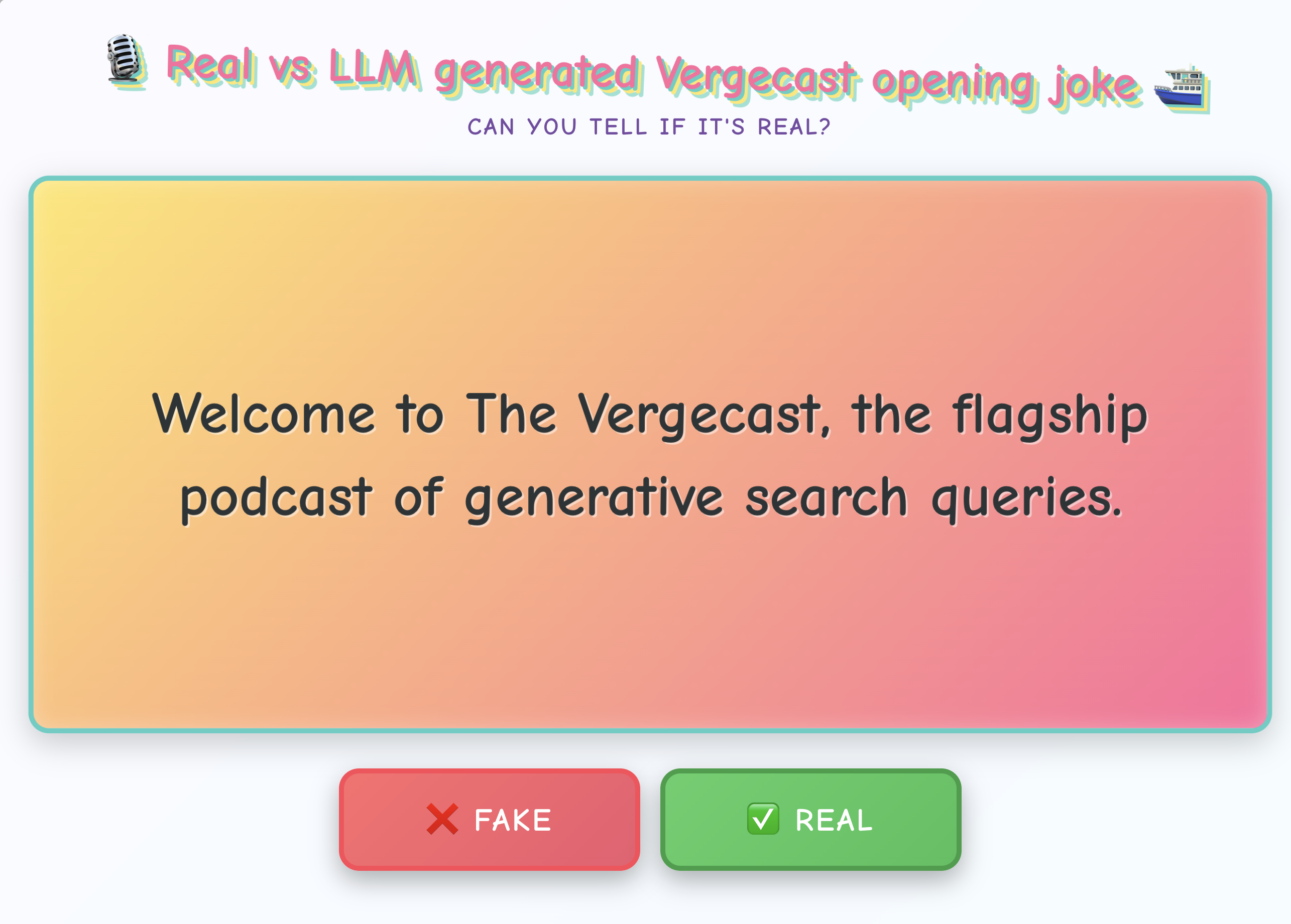
A web-based quiz game where players try to identify whether Vergecast podcast opening jokes are real (from actual episodes) or AI-generated fakes. The game presents hundreds of opening lines from The Verge’s flagship podcast, mixing real quotes with LLM-generated ones. Players make their guess, see immediate feedback with episode information for real quotes, and track their accuracy percentage throughout the session.
How?
- Static webiste hosted on github 😀
- Scraping of opening jokes from transcripts
- Claude - extract and generate LLM jokes
Warsaw ZTM 🚃
Why?
I wanted a 1 click way to see when the next tram is coming for my regular routes, iOS shortcuts to the rescue! (With some JS help 🤷)
What?
A custom iOS Shortcut triggers a iOS JavaScript (via Scriptable). The JS fetches real-time tram/bus schedules for chosen stop IDs directly from ZTM’s open data API. It parses timetables, determines the next departures for predefined routes, and formats the resulting times as array(s) of minutes remaining. The result is passed back to the Shortcut, which displays an instant notification banner like:
“🚃 Next tram 2️⃣ in 3, 12, 20 min”